
Kindle MOBI conversion services help authors and publishers convert manuscripts into Kindle-ready MOBI files that meet Amazon publishing standards.Technology has come a long way and eBooks are the great miracle of this new updated technology. Convert your print-ready paper book into Kindle eBook so that you can reach new audiences easily. With the growing trends of eBooks, Kindle Mobi formats and ePub are continuously increasing. With the Kindle conversion services, we will do the heavy lifting for you by opening the conversion process once your paperback book is approved.
Ebookconversion.com is a professional Kindle Mobi conversion and ebook formatting service provider which provides reliable, high-quality, and cost-effective services for a wide range of file formats that includes Word, hard copies, HTML, PDF, Quark, InDesign, etc. Our Kindle Mobi conversion services are part of our broader eBook conversion services, supporting multiple formats and publishing workflows.We supply to all categories of Publishers as well as Authors who are eager to e-publish their manuscripts so that they can easily attract global readership which in terms successfully leads towards revenue generation. We will convert any medium that you bring into a perfect digital book that could be user-friendly and compatible with any reading device like Kindle, Sony Reader, Kindle DX, Kobo e-reader, Noble Nook, Adobe Digital edition, iPhone, etc. Our conversions are available on both PC and mobile compatible and compliant with different open standards including XHTML and OEB. Kindle Conversion services supported different languages too including English, French, German, Portuguese, and Italian too.
Why Choose Kindle Conversion Services:
The Kindle Amazon is one of the leading online eBook formats today which is available in the market. As time spends, Amazon introduces an upgraded and latest version of Amazon Kindle which has been greatly used by users over the world to read their favorite books in digital text format. The most important feature of Kindle conversion services is that its easy compatibility with different reading platforms that includes Blackberry, Windows PC, Symbian, and Windows-based smartphones.Our Kindle MOBI conversion services focus on clean code, proper navigation, and device compatibility.
Benefits:
Lots of benefits and features are present in Kindle Conversion services which include:
- Kindle publishing will allow your business to knock into the most popular digital eBook publishing industry.
- Amazon which is the largest online store for Kindle conversion offers a huge number of titles and books that can be downloaded for as low as 99 cents. In fact, it also allows wireless downloading options and the reading of the beginning of books for free.
- Another important feature is of its easy compatibility with different reading platforms such as Windows PC, Blackberry/Android, or Windows-based smartphones, etc.
- You can include 100 embedded inks on your converted documents.
- Through Kindle conversion, it is possible to include graphic elements properly such as formulas, graphics, diagrams, images, lists, etc.
- With the growth of ebook technology, Kindle conversion has unwrapped a new window of opportunity for authors as well as publishers to present their document creation in Kindle format for all online readers.
Why Choose Ebookconversion.com for Kindle Conversion Services:
Ebookconversion.com has great experience in Kindle conversion services as we had already successfully completed various projects for publishers, writers, universities as well as big MNCs around the world. Our highly skilled professionals have years of experience in this field of ebook formatting for Kindle and understand clients’ requirements in the best possible way to give them a perfect solution in no time.
Benefits of outsourcing Kindle Conversion Services to Ebookconversion.com:
At eBookconversion.com, you will get a wide range of incredible benefits from outsourcing Kindle conversion services:
- Able to handle complex Kindle conversions from any type of file format within the shortest possible time frame.
- Our rates for conversion are quite economical as well as affordable for all that meet all necessary Kindle Conversions compliance standards.
- All our professionals are well experienced and highly skilled to convert almost any type of files format including PDF to Kindle, Word to Kindle, Indesign to Kindle, or printed book to Kindle
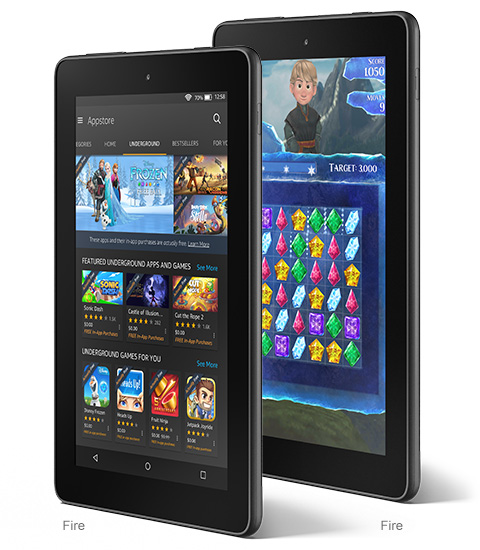
- We are able to create Kindle ebooks that can be viewed in color on the Kindle Apps and Kindle Fire and in grayscale on all other types of Kindle devices.
- Our work will reflect the original interior design and formatting as close as possible to make you ensure that both the normally printed boon and converted Kindle ebook versions are steady.
- Our turnaround time is really fast as we can deliver the simple textbook into Kindle conversion within 48 hours or as per the client’s requirements.
- Our ebooks with Kindle format designs are always attractive with their eligible fonts, mind-blowing layouts, and appealing graphics.
- Our expert team is well experienced to handle a large volume of conversions to execute high-quality formats within the stipulated time.
- We provide two levels of quality checks to ensure error-free files and proper e-reader display.
- We will give you 100% accuracy in conversion where text can be copied.
- After finishing the work, if any minor changes are required, we will do this without any extra cost.
- We don’t charge extra for creating hyperlinked to the table or for the addition of a cover to the book.
- We will give you a guarantee for all of our work and in case you face any trouble, we will help you to resolve the issues.
- Our staff will also guide you on how to upload the file format on Kindle and so many other resources to help you upload the file.
- We did the total process manually; no automated processes are involved to keep the originality of the content.
- We believe in continuous improvement by building a strong relationship with the clients based on respect and good trust.
- We will also give you assurance about the confidentiality of your projects and offer perfect firewall protection for all your data.
- Many of our satisfied clients also refer it to other publishers and authors for Kindle conversion services.
Ebookconversion.com can help you with all types of Kindle Mobi conversion services. So, rush your data manuscript to us for any type of Kindle conversion and get it converted into top-class eBooks within your time limit.
Kindle Conversion Formats Handled by Ebookconversion.com:
We can handle any type of format of the book to become Kindle-compatible. Ebookconversion.com is good enough to handle Kindle conversion (.mobi and Mobipocket i.e. .prc) from a wide range of different formats. We accept hard copies including novels, magazines, books, encyclopedias, etc. which will be first scanned through the scanners of high capacity and then sent to OCR before converting into Kindle format conversion. These Kindle Mobi conversion services ensure compatibility with Amazon Kindle devices and current publishing standards.We provide the below services to our clients:
- Hard copies
- Scanned copies to Kindle
- HTML files to Kindle
- Text files
- PDF to Kindle
- XML to Kindle
- Microsoft Word Documents
- QuarkXPress Documents
- Adobe InDesign to Kindle Conversion
We provide the following types of book formats to fully functioning Kindle eBooks. For more details, visit the links.
 |
Convert Microsoft Word to Kindle Mobi & KF8 Formats:Converting Microsoft Word is a breeze in eboonconversion.com. We will make the conversion process easy and at an affordable rate. |
 |
Convert from Adobe PDF to Kindle Mobi & KF8 FormatsConverting PDF formats to the Kindle is a strenuous, time-consuming task and also requires great attention to deal with. However, by ordering an eBook conversion of your PDF files at eBookConversion.com, you are ensuring that your eBook will be of superior quality with 100% conversion accuracy and lightning-fast turnaround time. |
 |
Convert from Adobe InDesign to Kindle Mobi and KF8 FormatsWhile you want to convert PDF formats to Kindle, it would become a tough, time-consuming task as well as it needs great concentration to deal with. Now, if you order your PDF conversion at ebookconversion.com, then you will ensure 100% conversion accuracy and superior quality of our services with the fastest turnaround time.
|
 |
HTML and Text to Kindle Mobi & KF8 FormatsWe offer HTML and Text file conversion even included with graphics, tables, and special formatting at a reasonable price rate.
|
 |
Printed Books, Material to Kindle Mobi & KF8 FormatseBook Conversion.com implements cutting-edge technology to transcribe from printed publications to the Kindle eBook format including paperbacks, hard-covers, content images, and photographs. This task requires expert experience to execute correctly and professionally. At ebook conversion, we can guarantee you that our printed book conversion services or PDF to Mobipocket conversion services will be flawless the first time. |
 |
XML to Kindle Mobi and KF8 Conversion:Convert your XML format to Kindle Mobi and KF8 format with the help of our expert team of Kindle conversion. |
 |
QuarkXPress Document files to Kindle and Kindle Format 8 (KF8) file:With the help of the professional and expert team of ebookconversion.com, you can easily convert your QuarkXPress Document files to Kindle format. |
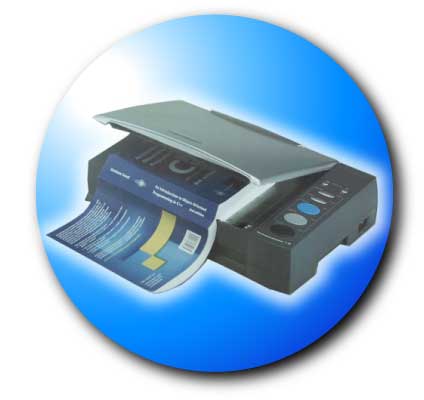 |
Scanned Copies of any book (should keep copyrights of the book) to Kindle eBook file & KF8 Formats:You can send us your scanned documents and make them converted flawlessly into the Kindle platform for easy scattering. We make the conversion process effortless through: |
So, by using our services, you can obtain the exposure and great marketing of the ebook, and also the publishers can increase their revenue. Making a decision to convert to Kindle format will definitely bring your business in focus among the competitive edge which needs. Contact us today for any format of Kindle Conversion services.
Testimonials:-
| I’d like to thank Bob and his team for their work on our first eBook Exquisite Tenderness. As a company with no previous experience in ebooks, we found their service both efficient and to a high standard. I recommend them to anyone looking to venture into this market.
Best regards, |
Note: eBookconversion.com is not affiliated with Amazon.com. Kindle is a registered trademark of Amazon.com